After Effects project control
Arka Project Hub
A focused desktop workspace for After Effects jobs: folder-role templates, managed AE launches, asset ingest, review notes, Frame.io publishing, render profiles, and versioned delivery state.
See each surface in motion
The workspace stays readable while AE, assets, review, and rendering move.
Arka is not just a project list. It gives the app enough structure to target the right folders, the right workfile, and the right live After Effects session.
Folder Roles and Templates
Create custom folder templates, assign roles, set frame rate, resolution, codec, deadline, project color, version padding, and the main comp name scripts will target.
Template
Create folder structures with roles for workfiles, media, previews, publishes, and scripts.
Launch
Open the tracked AEP through Arka so the session, workfile, and Sidekick bridge match.
Ingest
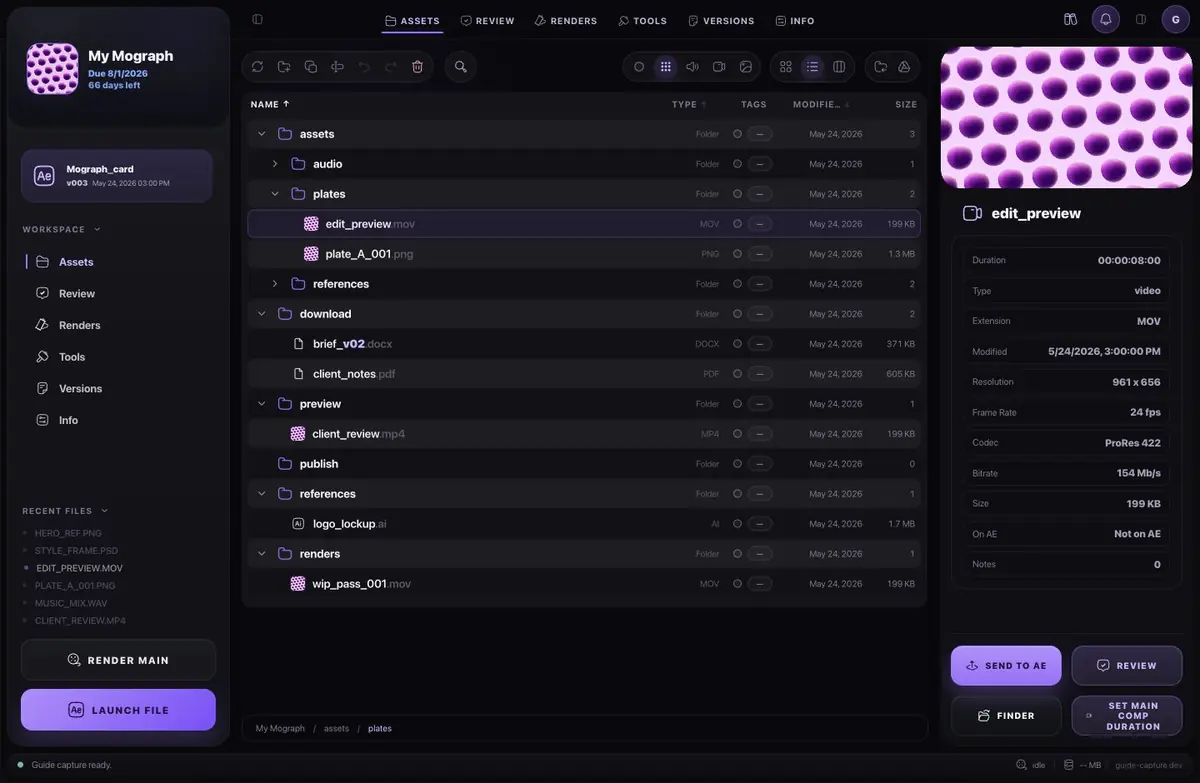
Drag files in, tag/filter them, preview media, and send selected assets to the live AE project.
Review
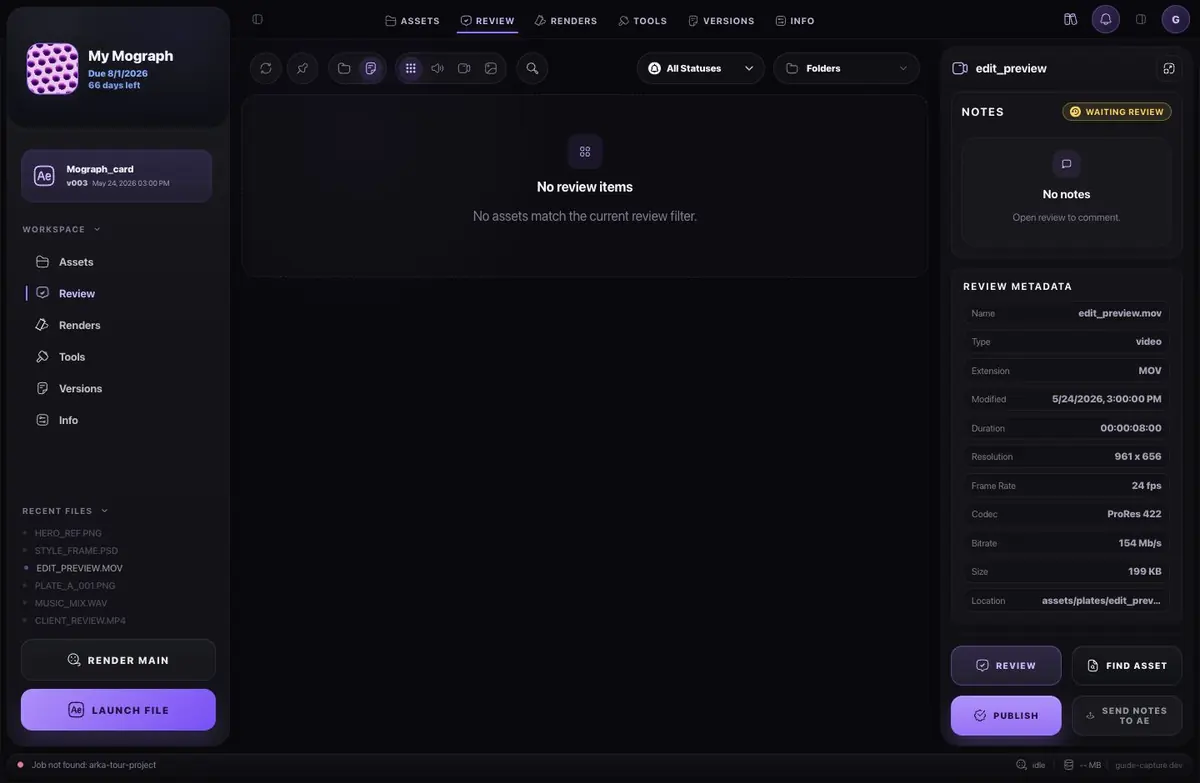
Scrub previews, draw or pin notes, sync Frame.io comments, and send notes back into AE.
Render
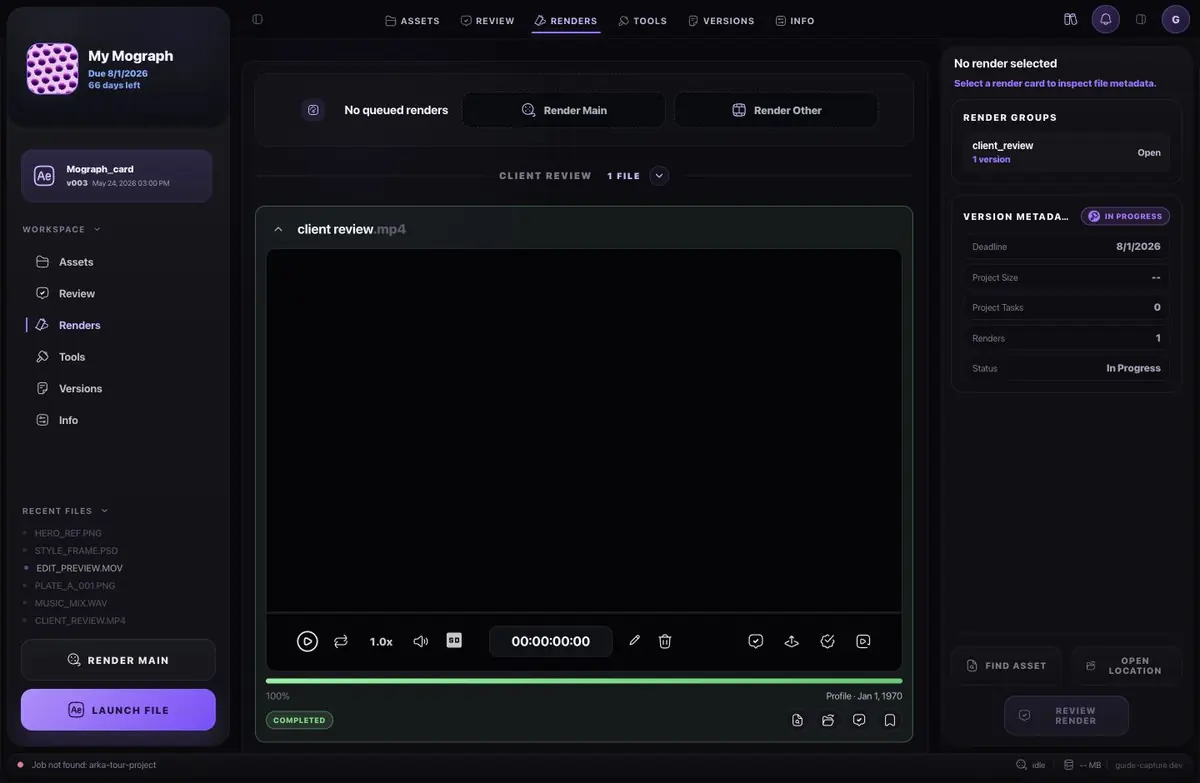
Render the main comp or scanned comps with versioned outputs and validated output modules.
One compact workspace for AE
Project control that scripts and After Effects can actually act on.
Arka gives production work a hierarchy: folder roles, selected workfile, active AE session, imported assets, review metadata, render profile, and publish state.
Folder roles, not guesses
Assign workfile, media, preview, publish, script, and delivery roots so imports, renders, archives, and automation target the right folders.
Live AE session awareness
Arka tracks launched workfiles, warns about unmanaged AE sessions, and routes session-scoped actions through the Sidekick bridge when it is available.
Review notes become production actions
Timed notes, drawing attachments, done states, Frame.io comments, and Send Notes to AE keep feedback attached to the file and comp context.
Everything in one desktop flow
Made for the moments where folder discipline is not enough.
These are the app surfaces that make Arka different from a launcher: it knows where files belong, which AEP is open, and which render/review action is valid next.
01
Custom folder templatesFolder role assignmentFrame rate and resolutionCodec/output preferenceVersion paddingProject System
02
Managed workfile launchSidekick panel install/repairLive session statusSend assets to AESet main comp durationAE Control
03
Drag-and-drop ingestAsset tags and filtersTimed and pinned notesDrawing attachmentsFrame.io publish and syncAssets and Review
04
Render MainRender Other comp scanOutput module inventoryPreview and publish rootsArchive package and collectRender and Archive
Speed
Skip repeated setup work.
Folder templates, folder roles, saved output preferences, and generated workfiles remove the repeated project-structure chores that happen before real AE work starts.
Control
Target the open AE context.
Managed sessions, stale-session detection, the Sidekick command bridge, and session-scoped render/import/note actions reduce the risk of scripts hitting the wrong project.
Release
Review and delivery stay traceable.
Preview cards, published states, Frame.io-linked files, synced comments, output module validation, and archive tooling keep the final handoff visible.
Production targets
Built around real After Effects pressure.
"Let me launch the exact AEP and know Arka's AE bridge is attached before I send assets or render."
Session target"Use my folder structure, but make scripts understand which folders are media, workfiles, previews, and publishes."
Template target"Turn review notes and Frame.io comments into visible work, not another detached feedback list."
Review targetTransparent pricing
Choose the account tier that matches how you work.
Every plan uses the same account surface for downloads and billing. Pick monthly access or a standalone desktop license.
Free
$0
Test the Arka workflow on one real job before paying.
- One active project
- AE launch and Render Main basics
- Local review notes and archive basics
- Account downloads and one device
Core
$35
For solo artists running the daily AE project loop.
- Expanded project capacity
- Managed AE session and asset handoff
- Render Main, Render Other, and output modules
- Local review notes, drawings, and library access
Pro
$69
For client work where review, Frame.io, and delivery matter.
- Everything in Core
- Frame.io publish/sync and production connections
- Full tools workspace and archive/package delivery
- Two desktop devices for one operator
Standalone
$599
The Pro workflow for buyers who do not want monthly billing.
- Everything in Pro
- Permanent single-seat desktop access
- Same account dashboard and downloads
Who made it
Shaped by production work that kept leaking context.
Arka was built from repeated After Effects friction: setup that had to be recreated, files that drifted, versions that looked similar, review notes outside the work, and delivery state living in someone's head.
The product is intentionally practical: fewer places to check, clearer state, and fast access to the active job.
FAQ
Common questions.
What does Arka replace?
It replaces the messy middle between folder templates, AEP launch state, asset ingest, preview renders, review notes, Frame.io publishing, output modules, and delivery actions. It does not replace After Effects.
Can I use it as a solo freelancer?
Yes. The first workflow target is solo and small-team AE production where fast project control matters.
Where do downloads live?
Downloads are served from your authenticated account, so installers and future updates stay tied to the user.
Can workflows be customized?
Yes. Folder templates, roles, roots, project colors, and app style are part of the setup flow.
Start with a cleaner project flow.
Create an account, download the desktop app, and keep your AE work organized from the first launch.